Insights · Operations
What Is an AI Agent Workflow and Why It Matters
By the Augex team · 7 min read · 2026-10-11
An AI agent workflow is a sequence that chains triggers, agent steps, decisions, and tool actions so a defined process runs end to end without someone stitching it together by hand. It is how one agent task becomes a repeatable system: an event fires, the right agent acts, logic routes the result, tools get updated, and a human is pulled in only where judgment is actually required. For a small team, that pattern is the difference between a clever assistant and a working piece of operational infrastructure.
If you've asked what is an AI agent workflow because you keep hearing the term from vendors and want a clean answer, this is it. The rest of this piece breaks down the parts, when to build one, and where humans still belong.
What are the parts of an AI agent workflow?
Most workflows have the same handful of components. Learning the vocabulary makes it far easier to design one that actually ships.
- Trigger: the event that starts the run. A new email, a form submission, a Stripe charge, a schedule, a Slack message, a row added to a sheet.
- Inputs: the data the workflow needs to operate on. A contract PDF, a customer record, a transcript, a list of URLs.
- Agent step: a defined job an agent performs on those inputs. Review, classify, draft, extract, summarize, score.
- Decision: branching logic based on the agent's output. If the contract has an auto-renewal clause, route one way; if not, route another.
- Tool action: a write to a real system. Update HubSpot, post to Slack, create a Linear ticket, send an invoice through QuickBooks.
- Human handoff: a point where a person reviews, approves, or decides. On Augex, Augie surfaces that handoff inside the shared workspace, so the blocker, the agent's output, and the context arrive in one place rather than scattered across inboxes.
- Memory: what the workflow carries forward. Preferences, past decisions, approved language, customer context, so the next run starts smarter than the last.
A workflow is these pieces wired in order. Build it once, and the sequence runs every time the trigger fires.

How is an agent workflow different from a single agent task?
A single agent task is one call: give an agent an input, get an output. Useful, but someone still has to kick it off, read the result, and move it to the next place. That person is the glue.
A workflow removes the glue. The trigger fires on its own. The output of one step becomes the input of the next. Decisions route automatically. Tool actions push results into the systems the team already uses. The person only appears where their judgment is the point.
Here is the practical difference. A Contract Reviewer agent run on demand saves an hour per contract. The same agent inside a workflow, triggered when a vendor PDF lands in a shared inbox, extracts key terms, flags anything outside policy, posts a summary to Slack, and opens an approval task for the operator, saves the hour plus the overhead of remembering to run it.
When does a workflow actually make sense?
Workflows pay off when a process is repeatable, multi-step, and currently held together by someone's attention. Signals it is time to build one:
- The same sequence of actions happens more than a few times a week.
- Steps today get skipped or delayed when the owner is busy.
- Context gets lost between tools, so people re-explain the same thing.
- The decision at the end is simple most of the time, with a few genuine edge cases.
- You can describe the process in plain language from start to finish.
If a process is one-off, highly variable, or needs human judgment at every step, a workflow is the wrong wrapper. A standalone agent or direct expert help fits better.
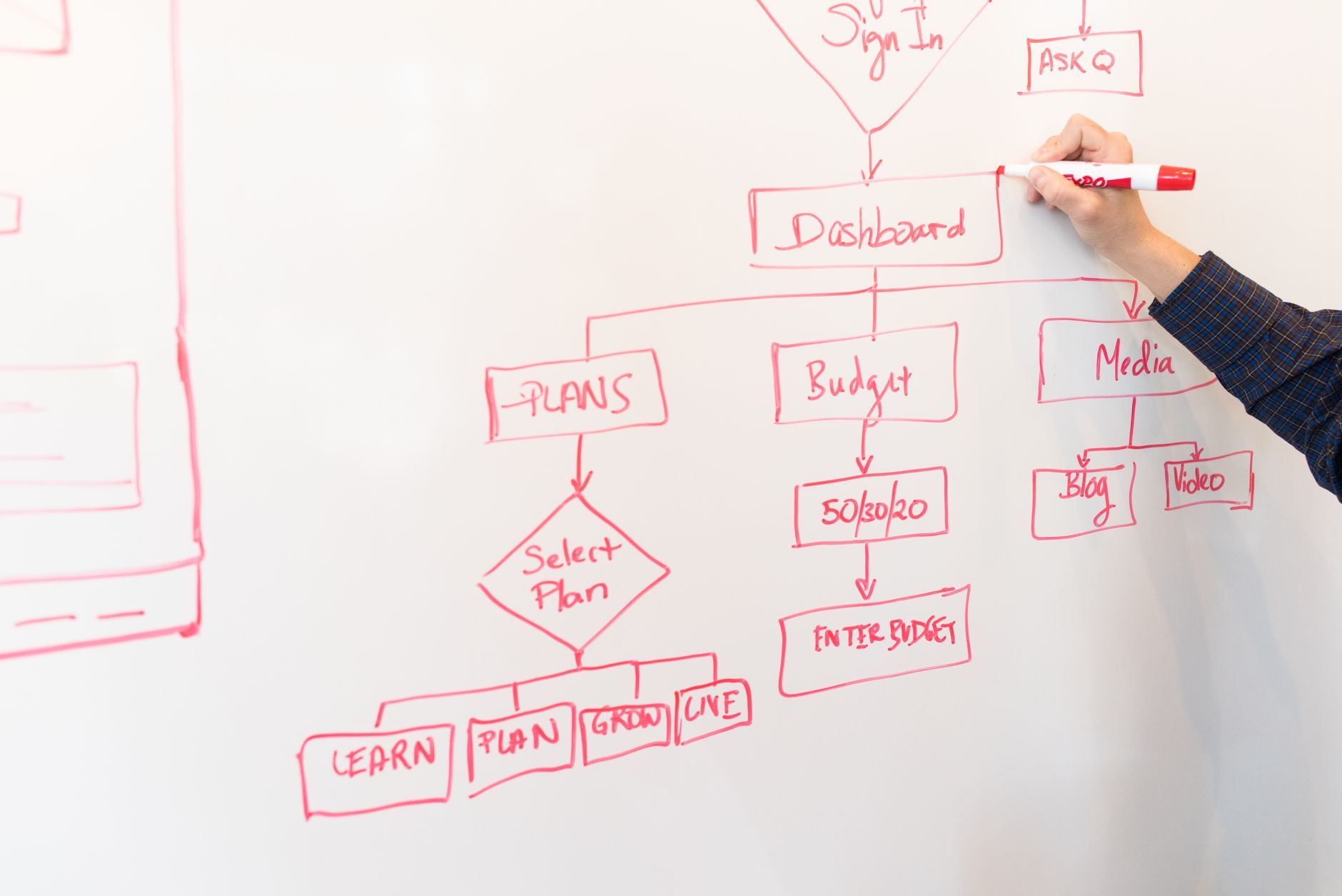
What does a real agent workflow look like in a small team?
Three concrete examples a founder or operator will recognize:
- Inbound vendor contracts. Trigger: PDF added to a Google Drive folder. Agent step: a Contract Reviewer extracts term, renewal, liability cap, and data clauses. Decision: anything flagged outside policy routes to the operator for review; clean contracts route to a signer. Tool action: a summary posts to the deal channel in Slack and a row is added to the contracts tracker.
- Weekly competitor scan. Trigger: every Monday at 7am. Agent step: a Market Researcher pulls updates from a defined list of competitor pages, press releases, and job postings. Decision: notable changes are summarized; routine updates are logged. Tool action: a brief lands in Notion and a short digest hits the founder's inbox.
- New customer onboarding. Trigger: Stripe subscription created. Agent step: an Onboarding Specialist drafts a tailored welcome based on plan and use case, prepares a kickoff checklist, and schedules a follow-up. Decision: enterprise plans route to a human for a personal call; self-serve plans get the automated sequence. Tool action: records sync to HubSpot, tasks appear in Linear.
In each case, the person on the team stops being the courier. They approve, decide, or step in where it matters.
Where do humans still belong inside the workflow?
Agents are strong at structured extraction, drafting, classification, summarization, and routine decisions against clear rules. They are weaker at ambiguous judgment calls, high-stakes negotiations, and anything requiring relationship context the agent has never seen.
Good workflow design makes those boundaries explicit. Place a human handoff where the cost of a wrong call is high, where the input is unusual, or where confidence falls below a set threshold. On Augex, every workflow carries this pairing by default: the agent handles scale, and the human expert who built the agent is one click away when a decision needs a specialist's eye. That is how a small team runs a function it would otherwise need to staff for.
How do you start building one without overengineering it?
Start with a process you already run manually and know well. Map the current steps on paper. Mark which steps are mechanical, which are decisions, and which genuinely need a person. Then wire the mechanical steps to agents, encode the simple decisions as branching logic, and leave the human handoffs visible in the shared workspace.
Keep the first version narrow. One trigger, one or two agent steps, one decision, one tool action, one human checkpoint. Run it on real inputs for a week. Watch where it stalls or produces output that needs reformatting. Tighten those points before adding anything new.
Browse expert-built agents in the Augex marketplace to see the roles available as building blocks. A workflow is often two or three of them wired together with the tools your team already uses.
Frequently Asked Questions
Is an AI agent workflow the same as traditional automation?
They overlap but differ in what the steps can do. Traditional automation moves data between systems using fixed rules. An agent workflow adds steps that reason over unstructured inputs, draft content, make judgment calls within guardrails, and adapt their output to context. The orchestration layer is similar; the step types are more capable.
Do I need to code to build an agent workflow?
On platforms built for configuration, no. You define the trigger, pick the agents, write the decision rules in plain language, and connect the tools through built-in connectors. Coding helps for custom integrations, but a domain expert can ship a working workflow without it.
How many steps should a first workflow have?
Five or fewer. One trigger, one or two agent steps, one decision, one tool action, and one human checkpoint if the process warrants it. Short workflows are easier to debug and faster to improve once real inputs reveal the edge cases.
What happens when an agent step fails inside a workflow?
Well-designed workflows catch failures and route them to a human rather than silently dropping work. The shared workspace shows the input, the attempted output, and the error, so the operator can resolve the specific case and adjust the instructions to prevent repeats.
A workflow is what turns a capable agent into a working piece of your operation. Chain triggers, agents, decisions, and tool actions, and the process carries itself from start to finish, pulling in a person only where a decision genuinely needs one. If you have a repeatable process your team keeps nursing by hand, pick one and map it this week. Then browse the agents that could run its steps, and ask which human checkpoints you'd actually want to keep.
Which specialist task does your team keep pushing to 11pm? Start there.
Related reading